
Visual Design Foundation
- Beginner
Build a strong foundation in visual design—learn how to use color, typography, and layout with intention, and create work that feels clear, polished, and cohesive.
If you already have UX skills but lack a visual foundation, this course pairs seamlessly with Portfolio School—and can be taken as an introduction to School of Design, with full tuition credited if you upgrade – essentially learning for free.
About This Course
What Visual Design Foundation covers and why you should take this course
Build a Strong Foundation in Visual Design
Most designers jump straight into tools—but struggle to create work that actually looks polished, intentional, and cohesive. This course focuses on building your visual foundation from the ground up: understanding color, typography, layout, and how design decisions come together to create clarity and impact—not just decoration.
Learn by Doing, Not Just Watching
You’ll learn the core tools used in modern design (Figma, Illustrator, Photoshop) while applying them through structured exercises and projects—from icon sets and type systems to a full microsite. By the end, you won’t just know how tools work—you’ll understand how to use them to create thoughtful, well-crafted design work that holds up in real-world contexts.
Who This Course Is For
1
UX Designers Lacking Visual Design Skills
2
Design Students Who Need to Build Visual Design Skills Before Portfolio
3
Marketing Professionals Adding Design to Their Skillsets
What You Will Learn
Understand the Core Principles of Visual Design
Use Industry-Standard Design Tools Confidently for Modern Design Work
Apply Color with Clarity and Purpose
Work with Typography Like a Pro
Design Clean, Structured Layouts
Create Real-World Design Projects for Your Portfolio
Unit Breakdown
8
Units
102
Lessons
30
Exercises
5
Projects
4
Quizzes
Unit 1
Introduction to Design
In this unit, we will introduce what design is and the most basic design principles to set the foundation for the course.
Unit 2
Figma Fundamentals
In this unit, we introduce the most frequently-used tools and techniques in Figma that helps student get familiar with this popular design tool.

Unit 3
Color Theory
Color theory is one of the 3 fundamental pillars of design foundation. In this unit, we cover all aspects of color theory that are relevant to the work of a designer to help students become skilled in choosing the right color for their projects.

Unit 4
Intro to Illustrator
Illustrator is one of the most important tools to learn as a designer for vector manipulation, typesetting and vector drawing. We introduce the most critical skills in Adobe Illustrator that a designer needs to succeed in visual design.
Unit 5
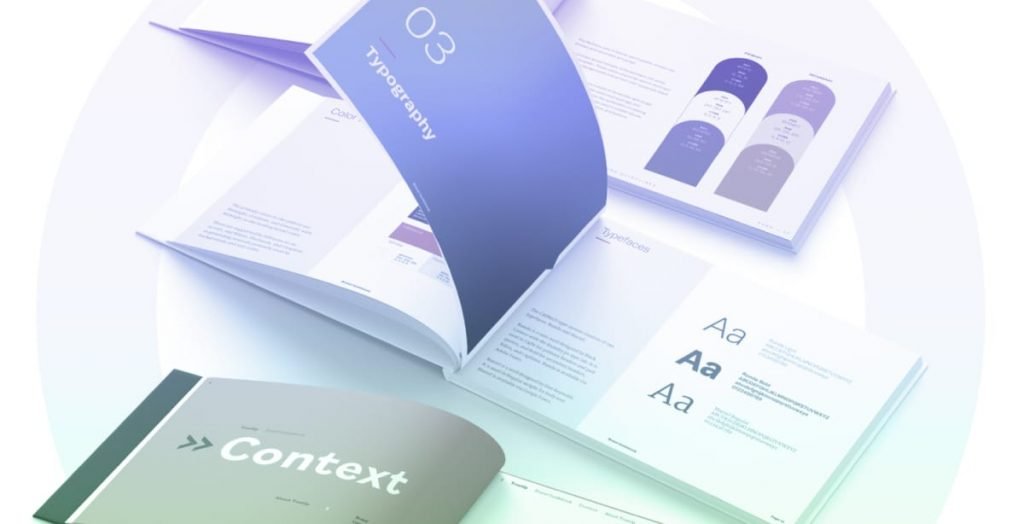
Typography
Typography is another pillar of visual design foundation that a designer cannot skip mastering. In this unit, we explain typography techniques at length to help students understand how to successfully create effective typography pairings and choices for any design projects.
Unit 6
Layout
Learning layout principles and how to effectively apply them to different scenarios are crucial in your success as a designer. In this unit, we will teach you the fundamentals of layout principles, as well as multiple use cases so that you can be confident in communicating ideas through design.
[ 2 more units are hidden ]
Receive the Complete Syllabus via Email
Work With Our World-Class Instructors
Our team of instructors are great at what they do and teach well, too
Stephanie Sell
Product Designer
- Washington, D.C. USA



Jenni Renas
Visual Designer
- Richmond, Virginia, USA


Arnold Kotra
Brand & Visual Designer
- France



Ashley May
Senior Product Designer
- Michigan, USA



Nina Shahriaree
UI/UX & Visual Designer
- Los Angeles, CA, USA



Silvia Script
Senior UI/UX Designer
- Washington D.C. USA


Our Students Work At Top Companies Around the World






What Students Say
Our course has helped designers get to the next level of their career
Amy Ferguson
UX Design Bootcamp Graduate
Maddi Kapusinsky
Multidisciplinary Creative Transitioning to Design
Jonathan B. Campbell
UX Designer Looking for Promotion
Have Questions About this Course?
Enrollment Options
Best Value
Visual Design Foundation (Full Program)
$650
one-time
This means you can schedule 6 instructional sessions with your instructor to go over your assignments, ask questions about course content and receive career coaching.
- 6 instructor sessions
- Homework support
- Pay one-time and enroll directly
- Can be credited towards School of Design if upgraded
Low Entry Price
Visual Design Foundation (Self-Study)
$299
one-time
This means you don’t have automatic access to instructor sessions due to the lower price but you may purchase sessions as you need for an additional $80 per one-hour session.
- Purchase sessions as you go
- Homework support
- Pay one-time and enroll directly
- Can be credited towards School of Design if upgraded
Combo + Saver
Visual Design Foundation + Portfolio School
$3,699
one-time or $750/m x5
Want to study visual design foundatiom and properly upgrade your portfolio to get ready for a high-paying design role? Enroll in the course bundle, save $100 and launch your new design career under the expert guidance of our instructors.
- Best for Portfolio School prospective students who lack visual design foundation
- Saves $100 compared to enrolling separately
- Split payment plans available
Start Here. Continue into School of Design Later—with Full Tuition Credited.
This course pairs seamlessly with Portfolio School—and can be taken as an introduction to School of Design, with full tuition credited if you upgrade – essentially learning for free.
Free Download
Test Your Visual Design Skills — With Real Design Questions
A 10-question self-assessment that uses actual design mockups to tell you exactly where your visual design judgment is strong, where it isn’t, and what to do about it.
- 10 visual design questions built around real UI mockups — not abstract theory
- Scores across 5 core disciplines: hierarchy, typography, color, spacing, and composition
- Level-by-level result breakdown so you know exactly what each score means
- Actionable next steps for every skill gap the assessment uncovers
Free. Instant access. No credit card. No spam. Unsubscribe any time.
Get Free Instant Access
Join 3,200+ designers who’ve downloaded this guide
Visual Design Skills Self-Assessment
PDF · 10 Visual Questions · Instant Download
*By signing up for the free download, you agree to receive marketing materials from us. Unsubscribe at any time.
FAQs
Who is this course for?
This course is for designers who are early in their career, transitioning into design from another field, or who have been designing by instinct and want a solid, principled visual design foundation to work from. It’s a great way to ease into the full career program of School of Design (as a preview). Students may combine it with Portfolio School if they are filling in the gaps of visual design before being ready for portfolio. It’s also a strong starting point before taking Art Direction or Brand Identity Design.
Do I need any prior design experience?
This course is accessible to those just starting out. If you’ve been experimenting with design but haven’t had formal training, this is the right place to begin.
What visual design principles does the course cover?
The course covers the core building blocks of visual design — typography, color theory, layout, hierarchy, composition, and how these work together to create clear, effective visual communication.
What tools will I use?
The course will teach you Figma, Adobe Photoshop, and Adobe Illustrator. Tools are just means to an end – it is more important to focus on learning and applying visual design principles, although our technical tutorials are very much designed to be thorough and easy to understand.
How is Visual Design Foundation different from a UI/UX design course?
UI/UX design focuses on user flows, wireframes, and product thinking. Visual Design Foundation focuses specifically on the visual layer — the craft of making design look intentional, polished, and effective. These skills complement UI/UX work but are distinct from it.
Is this course self-paced?
Yes. All content is on-demand and you work through it on your own schedule. If you purchase the full course (not the self-study option), you will also have 6 instructor sessions available for you to book on your own schedule. Your instructor will critique and review your projects with you live online.
Do I get a discount on your courses if I purchase multiple?
Yes, we provide discounts for certain courses if they care purchased together. They are usually courses that are related to each other, each time you enroll in a course, you will see which other courses you can enroll in for a discount in the checkout page.
If you want to receive a bulk discount for purchasing 3 or more courses, please contact us in the contact page. We can provide a custom discount for you.
Should I take a standalone course or enroll in your career program?
It depends on your needs. If you are already working as a designer and would like to uplevel your skillsets, we recommend taking individual courses as you need.
If you are a new designer looking to break into the field and get your first job or client as a designer, we recommend our School of Design career program or combine an upskilling course with Portfolio School if you want to build your portfolio with the knowledge you learned at the course – you do not want to show any knowledge gap in your interview and portfolio.
Ready to Build a Strong Foundation in Visual Design?
Learn the core principles, tools, and systems behind great design—and start creating work that feels clear, polished, and intentional.